Swipe the diagram to see the rest
What a bounce is
A bounce is the receiving server refusing a message. It says so with an SMTP reply code and, usually, an enhanced status code that is more specific. The first digit is what matters for your code: 4 means temporary, 5 means permanent.
| Code | Meaning | Type | What happens |
|---|---|---|---|
550 5.1.1 | The mailbox doesn't exist | Hard | Suppressed; never retried |
550 5.1.2 / 5.4.4 | The domain doesn't exist or has no mail server | Hard | Suppressed |
552 5.2.2 | Mailbox over quota (permanent on some servers) | Hard or soft | Depends on the code class |
452 4.2.2 | Mailbox full, for now | Soft | Retried |
451 4.7.1 | Greylisted or rate limited | Soft | Retried, usually succeeds |
421 | Server busy, try later | Soft | Retried |
Why you must stop sending to hard bounces
Mailbox providers judge senders by how often they hit addresses that don't exist. A high bounce rate reads as a sender with a bought or stale list, and it drags every message you send - including password resets - toward the spam folder. Gmail and Yahoo's bulk-sender rules and most providers' own policies expect you to stop mailing a hard-bounced address immediately.
Layer 1: the suppression list
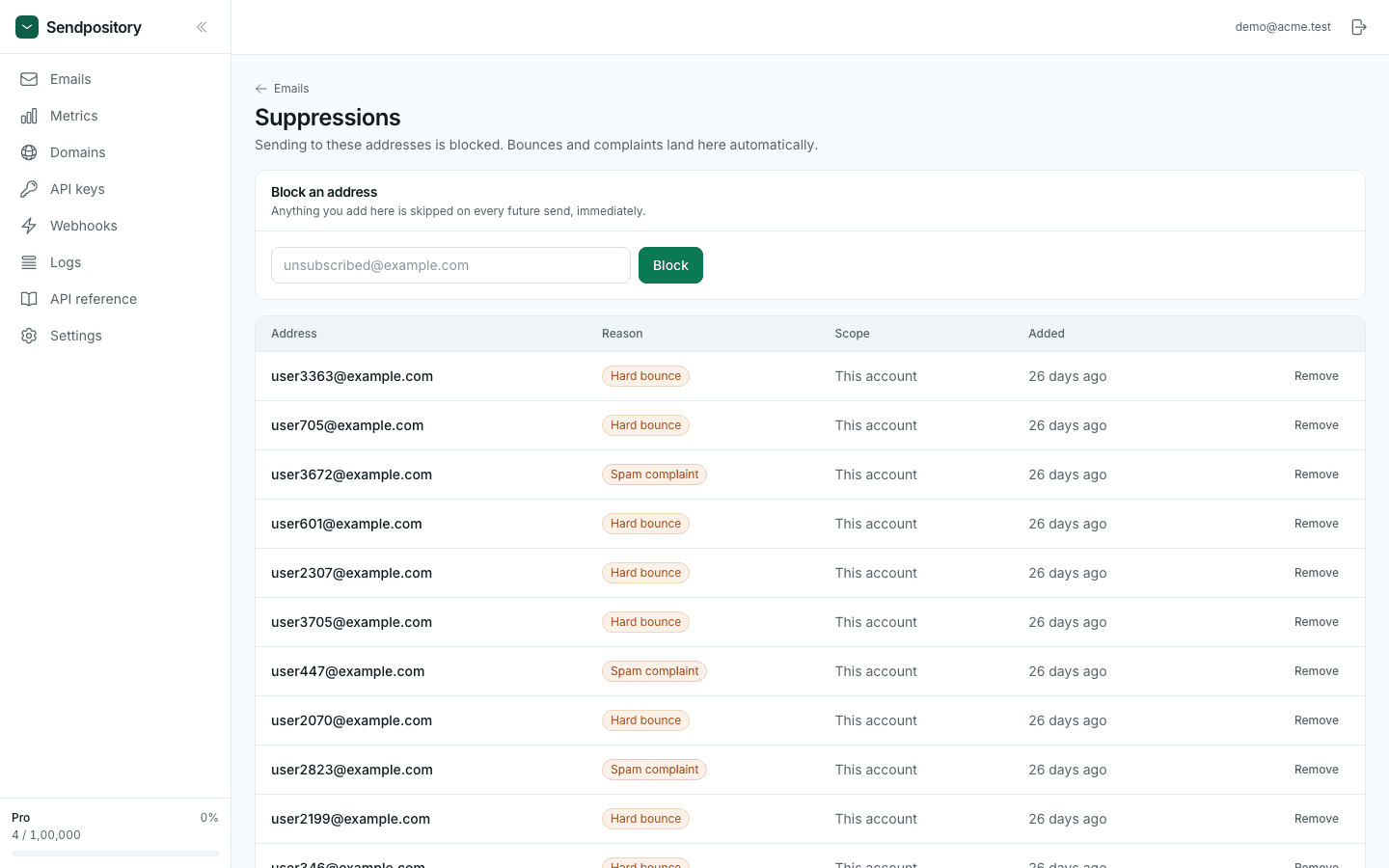
Sendpository adds an address to your suppression list the moment it hard-bounces or the recipient marks your mail as spam, and refuses future sends to it. You don't write any code for this. If any recipient of a message is suppressed, the whole message is refused with suppressed_recipient, which your code should treat as expected rather than retry.
Layer 2: tell your own database
The provider knows the address is dead; your product doesn't, until you tell it. Handle the webhook and flag the user, so the next time they sign in you can ask them to confirm a working address - otherwise they silently stop receiving receipts and resets.
import { verifyWebhook } from "sendpository";

export async function POST(req: Request) {
  const event = verifyWebhook({
    body: await req.text(),
    signature: req.headers.get("sendpository-signature") ?? "",
    secret: process.env.SENDPOSITORY_WEBHOOK_SECRET!,
  });

  if (event.type === "email.bounced" || event.type === "email.complained") {
    for (const address of event.data.to) {
      await db.user.updateMany({
        where: { email: address },
        data: {
          emailStatus: event.type === "email.bounced" ? "bounced" : "complained",
          emailStatusAt: new Date(),
        },
      });
    }
  }
  return new Response("ok");
}
Layer 3: soft bounces
A 4xx is the receiving server asking you to come back later. The provider retries with backoff and reports email.delayed meanwhile. Most delays resolve on their own - greylisting in particular is designed to make the first attempt fail. You only need to act when retries give up and the message ends as bounced or failed.
Complaints are worse than bounces
A complaint is a recipient pressing "report spam". It is suppressed like a hard bounce, but it costs more reputation: Gmail asks senders to stay below a 0.3% spam rate and recommends under 0.1%. If complaints appear on transactional mail, the usual cause is mail the user didn't expect - marketing mixed into receipts, or a sign-up form that let someone enter another person's address.
Checklist
- Never retry a
suppressed_recipienterror - skip it. - Store bounce and complaint status on the user, from the webhook.
- Ask users with a bounced address to confirm a new one; verify new addresses with a confirmation email.
- Watch the bounce and complaint rates on the Metrics page; a jump usually means a bad import or a broken sign-up form.
- Only remove an address from the suppression list when you know it has been fixed.