API keys
Creating keys, the two permission levels, and what to do when one leaks.
Updated
Every request authenticates with an API key sent as a bearer token:
Authorization: Bearer sp_your_api_keyCreating a key
API keys → Create API key. The full key is shown on creation and stays on the API keys page until you close the browser tab - it is copied to your clipboard automatically, and a Reveal button uncovers it if you need to read it. Close the tab and it is gone for good.
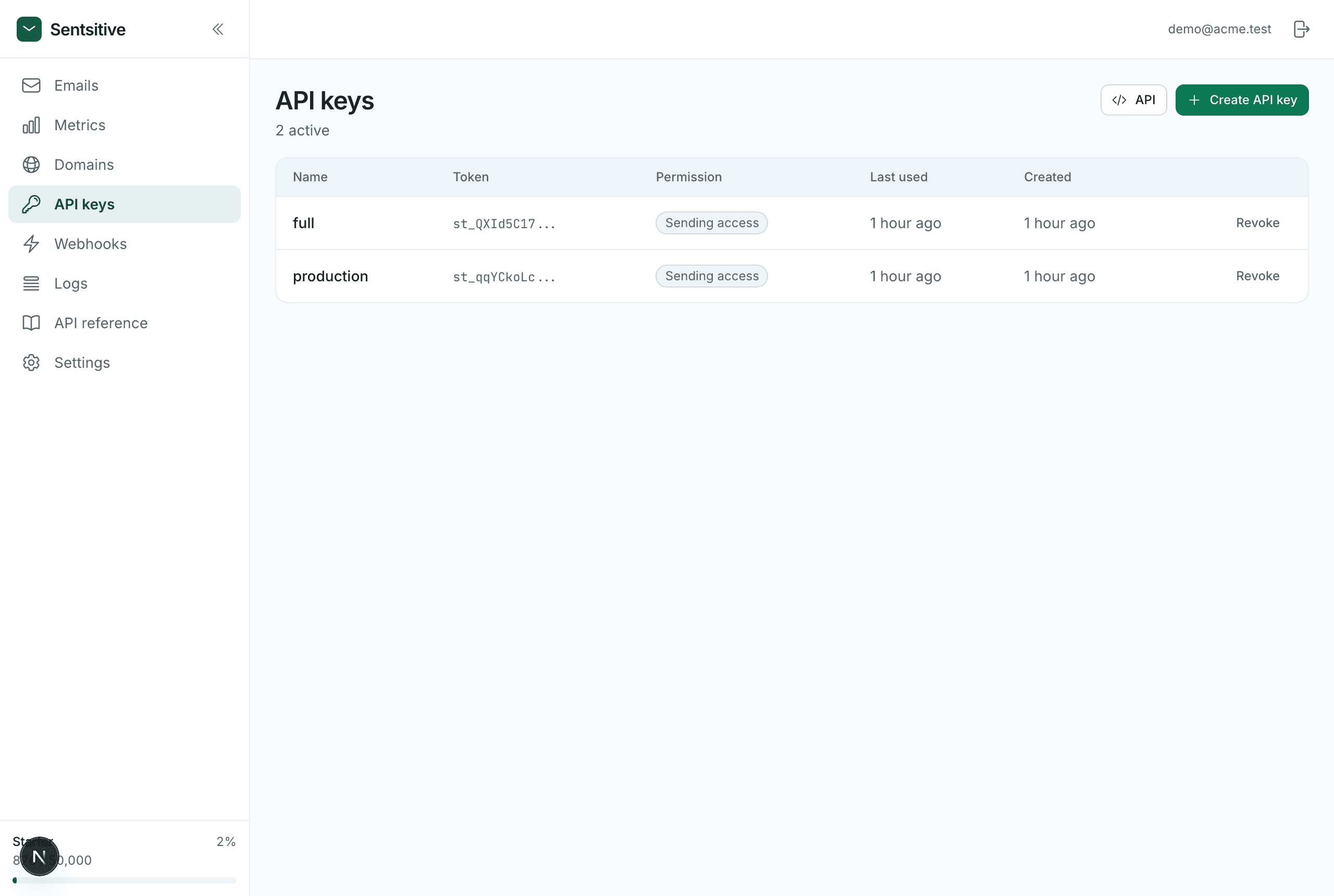
We store only a SHA-256 hash and the first 11 characters - enough to show you
sp_Hi3uTL8o... in the list, not enough to reconstruct the key. The copy that
survives until you close the tab is held in that tab's own storage and never
reaches us, so once it is gone nobody can recover it: create a new one and
revoke the old.
The API behaves the same way it always has - POST /v1/api-keys returns the
plaintext token exactly once, in that response, and never again.
Permissions
| Permission | Can do |
|---|---|
sending | Send email. Nothing else. |
full_access | Send, plus manage domains, keys, webhooks and read logs. |
Use sending for your application. A sending key that leaks can send email
you didn't intend - bad, but recoverable by revoking it. A full-access key that
leaks can mint more keys, which outlive the revocation of the original.
Keep full-access keys for scripts and tooling you run yourself.
Keeping keys safe
- Store keys in environment variables, never in source control
- Never put a key in browser or mobile code - anyone can read it there; call your own backend, and have that call us
- Use a separate key per environment, so revoking staging doesn't stop production
- Revoke immediately if a key is exposed; revocation takes effect on the next request
Revoking
Revoking marks a key dead rather than deleting the row, so your request logs keep their meaning. A key cannot revoke itself - use another key or the dashboard.
See the API keys API for programmatic access.